For writers, editors & content creators

Publish anywhere,
keep your voice

Any language, one voice, one window

Define your tone once. Batch your backlog. Ship in any language before your publishing window closes — and have it still sound like you.

The product

From draft to any language, on one workflow

  • I.

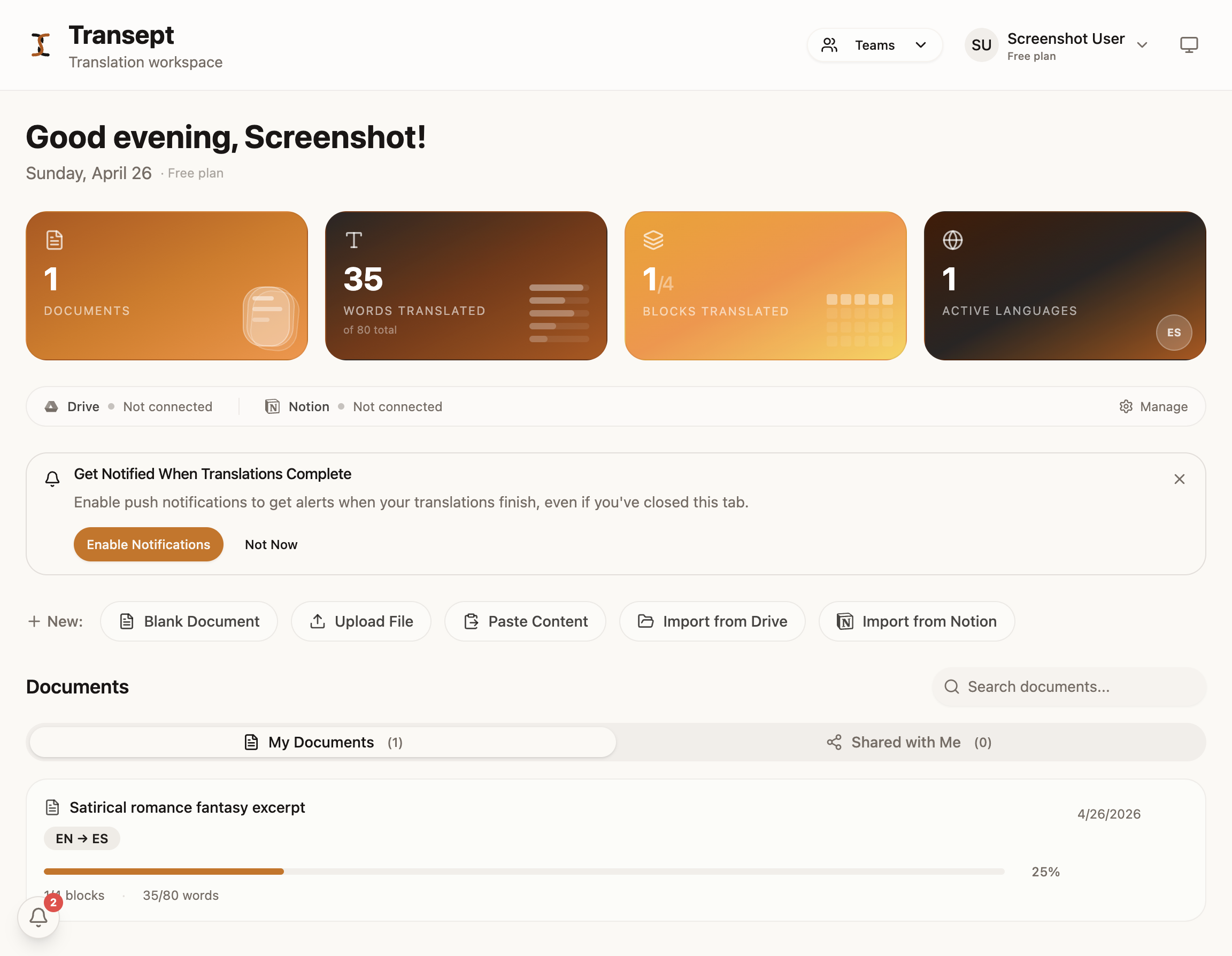
    Pull a draft straight from Notion

    Search and import any Notion page or database. Headings, lists, links, and inline formatting all come with it — imported as blocks, ready to translate.

    Transept dashboard showing Notion import
    Plate I — Notion import
  • II.

    Define your voice once

    A styleguide captures tone, rules, and the quirks that make your writing yours. Apply it across every piece, every target language. Version it; swap the active version per release.

    Transept editor showing styleguide controls
    Plate II — styleguide in context
  • III.

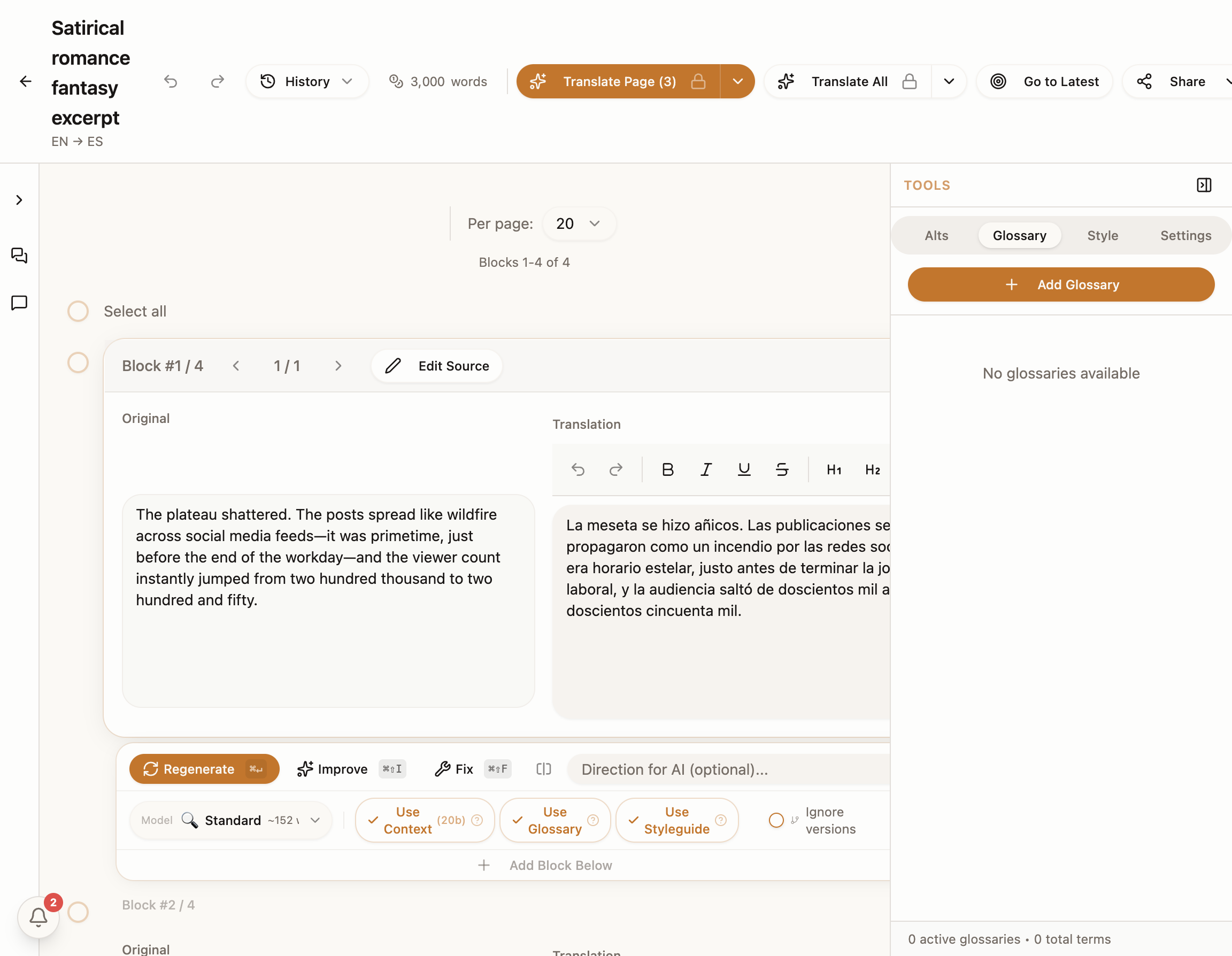
    Re-translate any sentence with a direction

    "Make it punchier." "More casual." "Keep the metaphor." A custom instruction reworks just the sentence — the rest of the paragraph stays put.

    Transept editor showing regenerate with directions
    Plate III — regenerate with direction
  • IV.

    One-click polish for fluency

    AI improvement smooths the whole piece without flattening the voice. Glossary terms and styleguide rules are preserved — only the awkward bits get fixed.

    Transept editor showing AI improvement controls
    Plate IV — improvement pass
  • V.

    Push back to Notion or Google Docs

    Translation lands where it needs to go — same structure, ready to schedule. Notion and Google Docs export both supported, plus DOCX and Markdown.

    Transept editor showing export options
    Plate V — export back
  • VI.

    Track every language version of every piece

    Dashboard view shows progress, word count, and which pieces still need a pass — across every active language.

    Transept dashboard with multilingual content
    Plate VI — multilingual dashboard
The competition

You’ve tried the rest — now read this

Three short comparisons, then a feature row to settle it.

Google TranslateThem

Google Translate is a vending machine

Put text in, get text out. Hope you like what you get. No glossary, no styleguide, no memory of what came before.

Transept
Us

Transept is the open kitchen

You bring the glossary, the styleguide, the tone. Multiple options per sentence. You decide what makes the cut.

DeepLThem

DeepL is a sprinter

By page fifty it is calling the same character three different names and forgot what sarcasm was.

Transept
Us

Transept is a marathoner

Page 300 reads just like page 1. Glossary and styleguide enforced across the run.

ChatGPTThem

ChatGPT is your cockiest friend

Impressive at parties. Try fifty docs with consistent terminology. Good luck.

Transept
Us

Transept is the colleague

Who does this for a living. Upload, translate, QA every sentence, export — on time, on brand.

How it stacks up

CapabilityTranseptGoogle T.DeepLChatGPT
Voice & tone consistency
Glossary enforcement
Full document context
Sentence-level editing
Batch translate + QA
Team collaboration
Notion & Google Drive
Terms

A simple ledger — no seat fees

Pay for words you actually translate. Top up when you need more — extra credits don’t expire.

Free

Always free
$0/ month

For your first projects

~10 pagesper month

3,000 words, standard quality.

  • Standard quality — fast, accurate, faithful
  • 300+ languages — from Spanish to Tagalog, shelf to shelf
  • Glossary, styleguide, QA, import / export — all included
  • No credit card required
Begin without paying →
Most chosen

Starter

$19/ month

For regular client work

Standard
~330
pages / month
Premium
~100
pages / month
Includes Free, plus
  • Premium mode — deeper model for nuance, uses 3× words
  • Teams & collaboration — invite editors, share resources
  • Batch translation across whole projects
  • Top up anytime — extra credits never expire
Start translating

Pro

For higher volume
$49/ month

For agencies & large catalogs

Standard
~1,000
pages / month
Premium
~330
pages / month
Includes Starter, plus
  • 3× the words — 300,000 credits / month included
  • Priority support — direct line, faster replies
  • Predictable bill — most months covered without top-ups
Begin at scale
✦ Cost calculator ✦

Estimate the cost of your next project

Words to translate
50,000words
~167 pages
1,000100,000200,000
Monthly bill$19.00
  • Credits used50,000 of 100,000 included on Starter
Covered by your $19 / mo Starter plan
The origin story

Nothing could translate what we wrote — so we built what could

He wrote 120,000 words of satirical romance fantasy — mages drowning in debt, a multiverse economy that makes Wall Street look ethical, and a love story tangled up in all of it.

She writes semi-fictional stories about real people, built around how it felt. Most of the people she wrote about were foreigners. They met in English, spoke in English, lived those moments in English. So she wrote them that way too.

“But sometimes she wonders what version of them she missed by not writing them in their language.”

He had the same problem from the other side: every tool preserved the words, but killed the voice. Nothing they tried could hold onto tone, rhythm, wit, or emotional texture. It all came back flatter than it went in.

So they read multiple machine translation papers. Tested every AI model they could get their hands on. And made the tool they wished had existed from the start.
TranseptMariia & Vitalii
Footnotes

Questions creators ask first

  • You write a translation styleguide once — tone, rules, the quirks you want kept. Every translation in every language references it. When you regenerate a sentence, the styleguide and your direction both feed in.
  • No. You can translate first and add brand terms or character names to the glossary as you notice them. Or skip it entirely for one-off pieces.
  • Yes — anything from a 500-word post to a 50-chapter manuscript. Block-level structure handles long pieces; sentence-level controls handle the moments where it really has to land.
  • Connect your Notion workspace, search for the page or database you want, import it as a translation document. When you’re done, export the translation back to Notion — same structure, ready to schedule and publish.
  • When voice and nuance matter more than speed. Premium uses a deeper model and costs 3× per source word. For most content marketing, standard is fine; for literary pieces or anything tonally tricky, premium is worth it.
  • Free covers ~10 pages of standard translation per month — enough to try everything. Starter at $19/mo gives you ~330 pages standard or ~100 pages premium. Top up with credit packs that don’t expire.

Take your story to a new audience

Start translating

Free to begin · No card required